Data Physicalisation and starting point of the project
We have started the process of brainstorming for this week’s project. Even though we were given some examples and options to choose from for our topic, after discussing it in our group, we all realized the design space is very broad and choosing a topic would take a lot of time. Some predictable ideas were brought up e.g. racism, gender inequality, stress and mental health, anorexia and body image, and so on, which could be intellectually and culturally critical and provoking. But we decided to throw some ‘fun’ ideas in the mix as well, therefore we came up with “bizarre causes of death”, but then other ideas came up, in which we saw more potential. Afterall, we have to choose something that we could find legitimate and enough statistics and information about, for the design to be informative. But it also has to be provocative in a way.
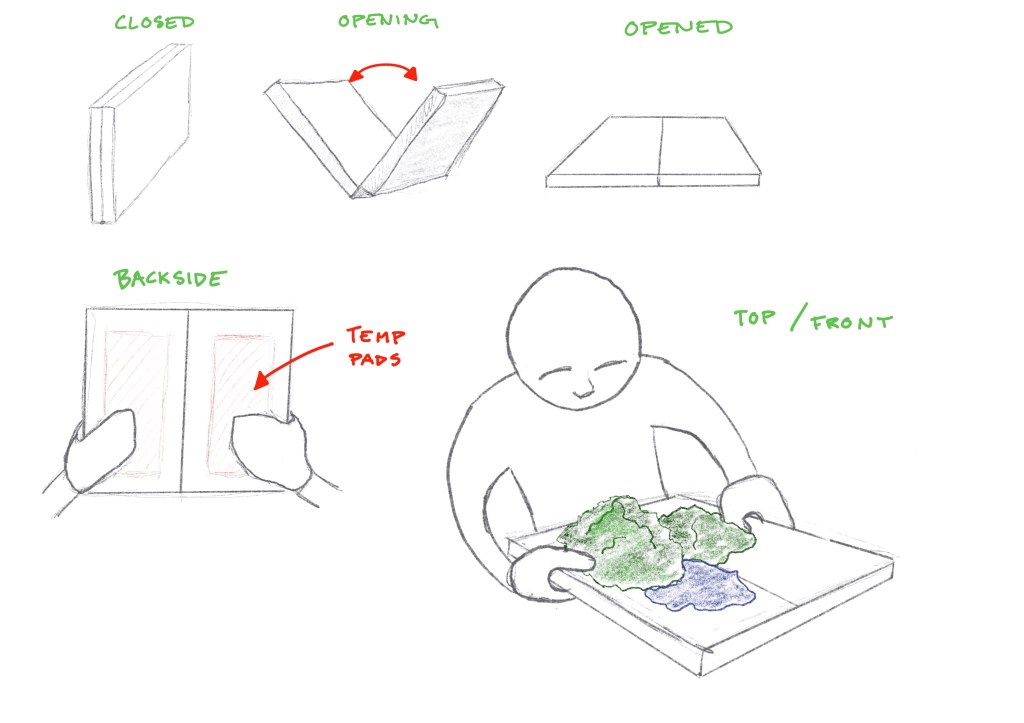
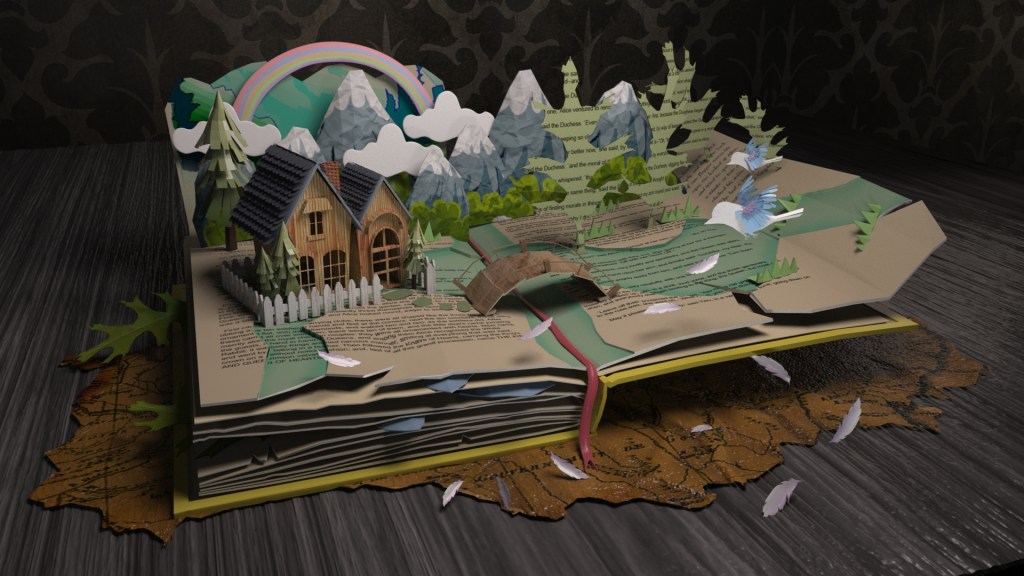
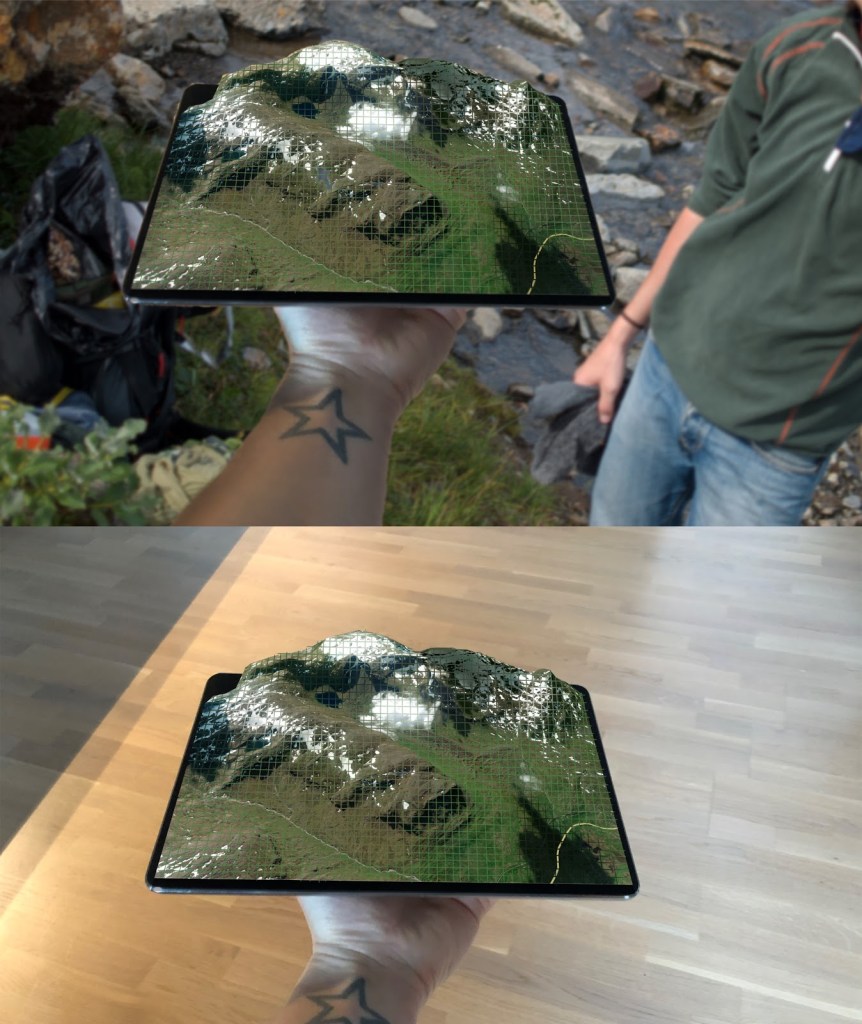
We had several potential ideas that we discussed on a deeper level, e.g. one idea we had that I was particularly intrigued about was about the level of democracy in different countries; we wanted to take the relevant statistics and make an interactive “canvas”, two people would sit in front of the canvas, each of them facing one of the sides of the canvas and start to talk, the canvas should be “transparent” for them to be able to talk, but the transparency would depend on the level of the democracy in the specific country the users choose on the canvas. This would lead the users to experience the intensity of the censorship present in a lot of countries. Although we were excited about it, we were not sure about the technology we could use for the canvas to make this happen so we dropped it. Lastly, we ended up with an idea of a map for hikers that would show you the paths, the weather forecast, the angle of the slopes, etc. all through data physicalisation. The “map” would be shaped like a closed book initially, which can be opened up and it would have the 3D physicalisations of the environment the user is in, deriving from the “pop-up” books we all had as children. The overall size of it would be like a regular iPad, for it to be handled by hands, and actually give the feeling of a typical map.
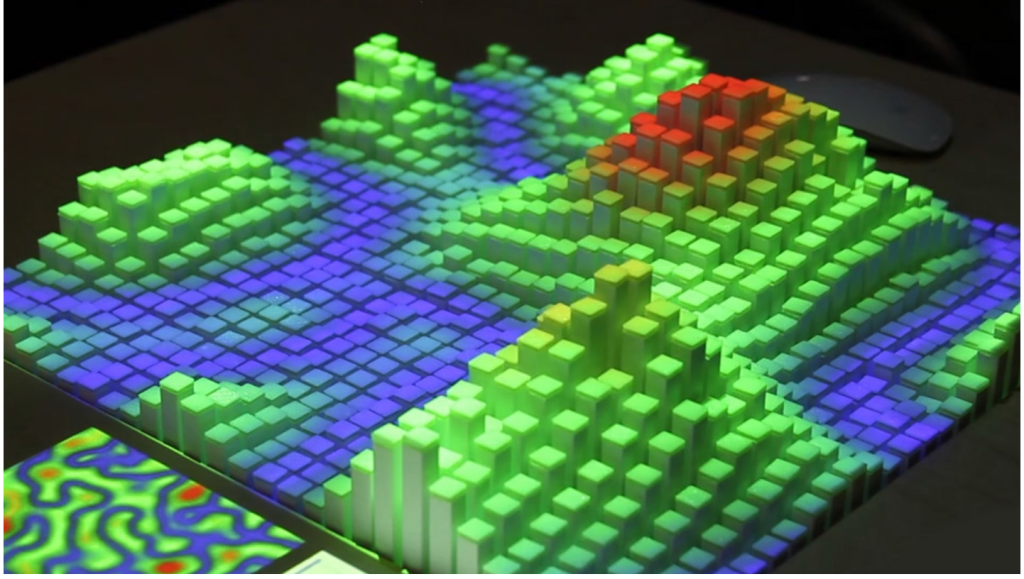
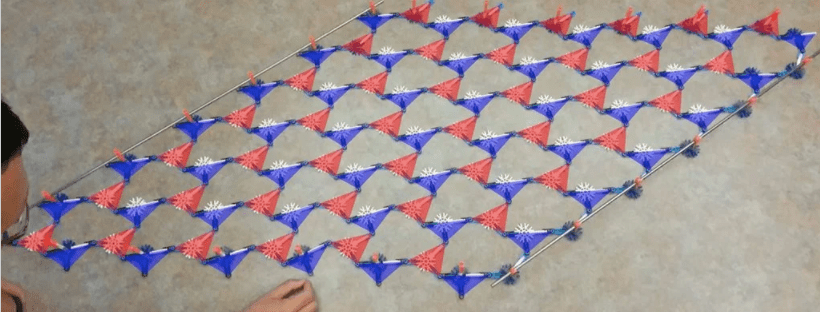
The technology that could possibly be used for the topography and the actual physicalisation of the environment is the one mentioned as one of the examples in the paper by Jansen et al. (2015) [1].
To elevate the level of physicalisation, we decided to have temp pads below the map, and also some sort of haptic feedback to indicate if it’s raining, etc.
After discussing the ways the user could control the “map”, we realized we were being too much in the details of it for a project we have only a few days for, so we decided to take a step back and reconsider whether the concept was fun enough for us. Instead of having the “map” being more of a functional object that would consume a lot of energy to operate, we wanted to take away from that, and focus more on the whole experience of it. So we switched to a map that would only show you the weather and the topography of your location/surroundings, and it enables you to save and store that location with all the data about the weather and the changes in the journey to later “open” it up and reminisce about it and/or show it to others. This object would provoke the user in an emotional and positive way, instead of intellectually and/or culturally. The haptic feedbacks come from the bottom of the object, where the user is holding the device. I suggested we could have different hand/body gestures (interactive) for the user to control the device. At the end, we are interaction design students and it would not hurt to think of and implement some kind of an interaction to the device. For zooming, e.g. the user could “twist” or pinch one of the physical “grids”. This way we can move away from having the typical zooming in and out gestures we have available on regular 2D displays. This could, on the other hand, minimize the intuitiveness quality of the interaction for the user, since they will have to build new skills and getting used to them, which would probably have a learning curve. The interaction could also be implemented in the part where the user wants the device to “start capturing” and then to “stop capturing”. We would not want the device to capture everything. But my idea was turned down by my teammates for the reason that they thought if we added such a feature, it would seem forced, also because of the lack of time. I personally thought the interaction of the user with the device was passive as it was. i.e. the user only opens the map up, closes it, opens it afterwards to reminisce about it, and while holding it, the data would come to her either in the form of haptic feedback or data physicalisation of the scenery.
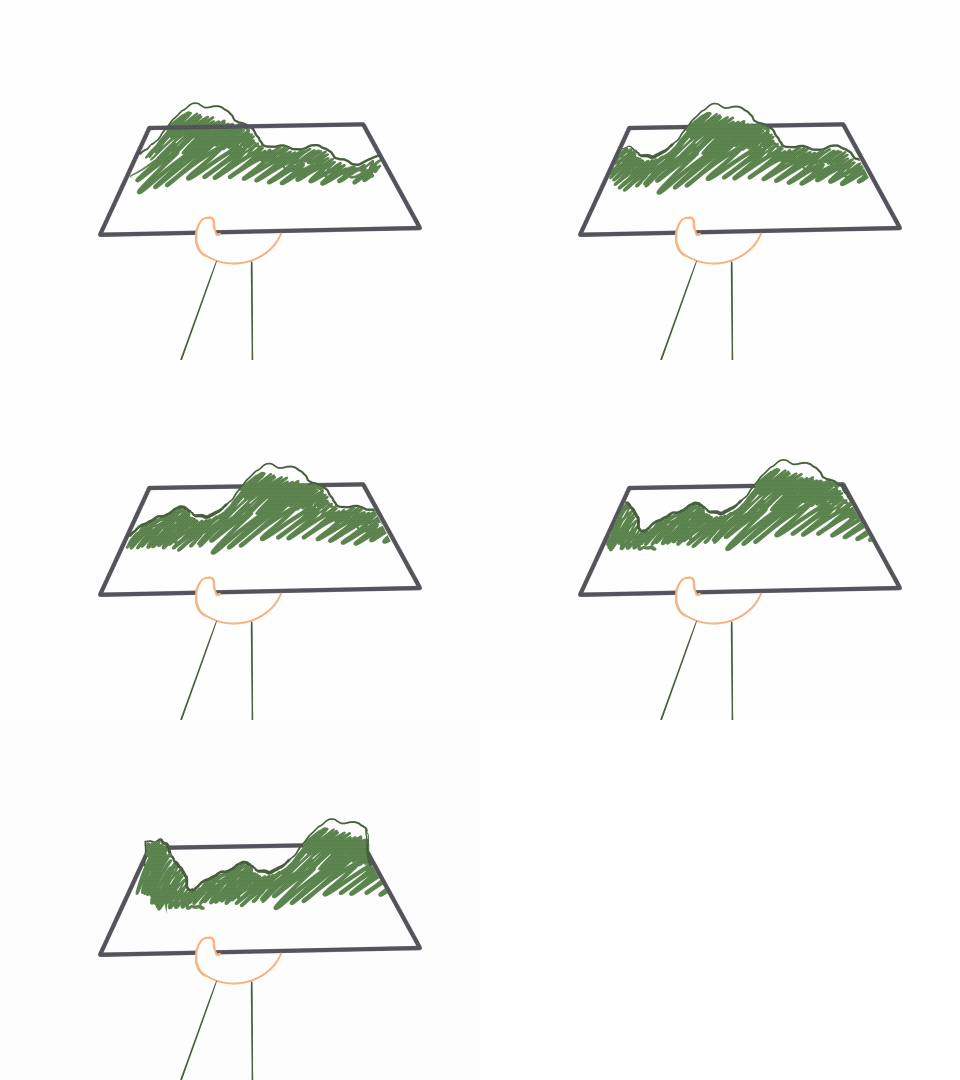
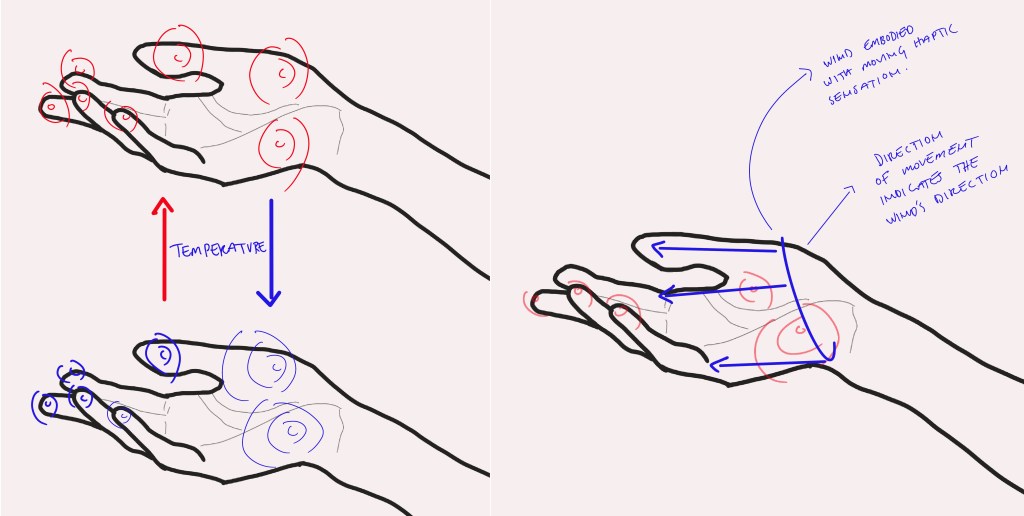
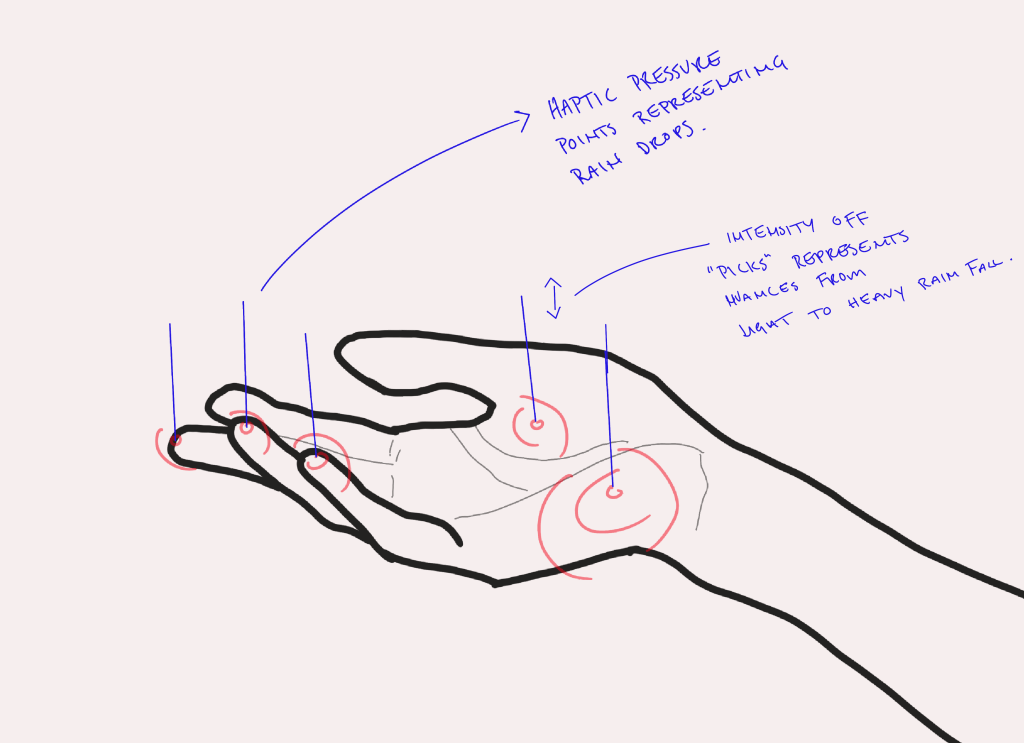
The concept we have decided to work on is not very similar to the other ideas we had in the brainstorming process, i.e. this concept is not going to need any statistical numbers and information, other than the relevant information about the weather. Another point is that the haptic feedbacks are coming from the bottom of the device which creates like a 2 in 1 function. But I asked myself after the presentation, is this 2 in 1 function actually desirable? How does that feel when the user does not want to feel the feelings and they just want to know about the scenery? So it kind of makes it a non-controllable interaction, or one that is not initiated by the user, which is going to change the user experience of the object. Another question that came to my mind after seeing other groups’ works, was that are we allowing for multiple people (when reminiscing and showing it to other people) to experience and feel the whole thing with the physical shape and form of the device? The size of the device would be like an iPad’s, and clearly, only one person could hold it, so when in a situation where the user wants to show the experience to other people, although it is possible for them to see the physical “grids” (the top of the device), but they will not be able to feel the haptics! and as a result, they will not be able to feel the whole experience as, as the device was designed to provide.
So for further development of the concept, this issue has to be addressed and acted upon, we either have to introduce the device for only personal use and not for other people to see and experience, or change the size and the affordances of the device to be suitable for a group of people to experience it. The latter I cannot logically imagine happening, because the “map” is for hikers, so it has to be at a certain size and not bigger to be portable and light weight; otherwise the concept we began with and based this object on is going to be changed.
Seminar and Readings
I am going to write about the interesting points I came across in the seminar here. In the paper by Jansen et al. (2015) [1], they talk about how, since the technology is moving towards more 3D and physicalized devices, we are moving far away from the regular 2D displays and computers. But we could argue that in some situations like sending/receiving a notification, having a physical interactions/physicalized data is excessive, so some things must remain as they are, i.e. synthetic.
Different benefits of data physicalisation that were not mentioned in the paper and were discussed in the seminar include “breaking” language barriers, e.g. in a museum where all the information are in a particular language that one does not know, this could be a very useful feature. In the context of museums, something else that was brought up by one of the classmates was the fact that people with disabilities cannot have a fair experience in museums and similar locations, and that this could be enhanced with data physicalisation. Another benefit could be to physicalise the kinds of information that are not understandable by regular/non-professional people, in their normal form, such as data and information that websites store from us and how they do it, for security reasons, etc. (ethical), to make them more familiar.
Regarding the second paper by Hornecker & Buur (2006) [2], the oldness of it was mentioned in the seminar and the fact that a lot of the “research areas” they have tried to introduce in the paper have already been covered and taken care of, as well as some of the technologies.
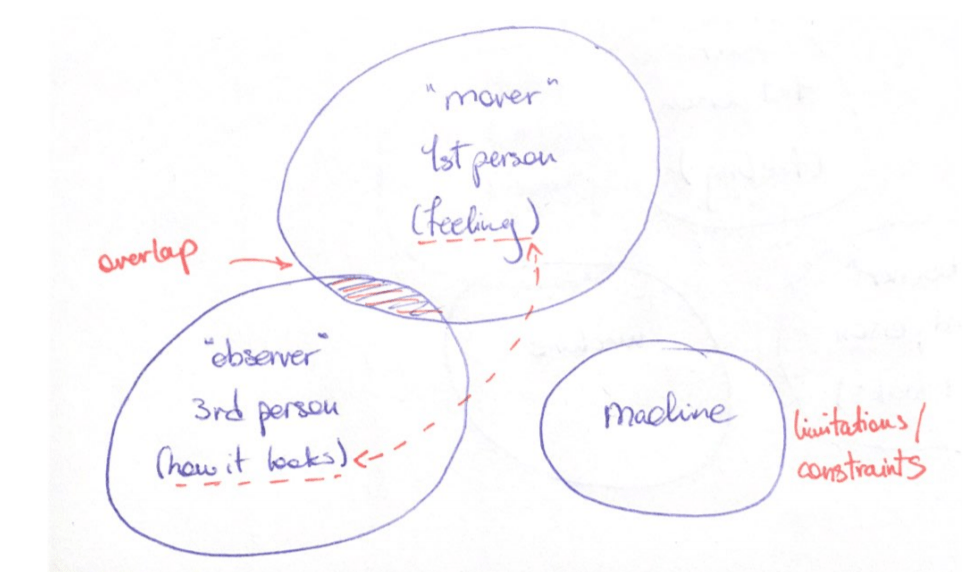
The three different main perspectives on the matter, as a point of departure.
(my own thoughts: although the collaborative aspects are mentioned in both of the papers, we, in our project, are not using this aspect as a self-imposed constraint in the design area, which is interesting. Of course, it would have been hard to test it out in these times of pandemic, but I am very intrigued about this matter.)
Something that was mentioned in the seminar while talking about this paper was that, although frameworks are useful for analytical, iterative, etc. purposes, we as designers should not limit ourselves to frameworks, and we have the ability to change or evolve them. Another point was about how this framework is useful in the context of designing everyday use AI object (the topic of last week), which is the relatedness of the (especially) fourth theme mentioned in the paper (Expressive Responsiveness) to that matter, maybe even the second theme.
Something I enjoyed with the seminar of this and last week, is that some questions are asked for us have a discussion and to further think about the topic in question and to actually link the knowledge we have gained from reading the papers to other topics that we have probably been introduced to in the past.
References:
[1] Jansen, Y., Dragicevic, P., Isenberg, P., Alexander, J., Karnik, A., Kildal, J., Subramanian, S., Hornbæk, K. (2015). Opportunities and Challenges for Data Physicalization. In Proceedings of the 33rd Annual ACM Conference on Human Factors in Computing Systems (pp. 3227-3236). Association for Computing Machinery.
[2] Hornecker, E., Buur, J. (2006). Getting a Grip on Tangible Interaction: A Framework on Physical Space and Social Interaction. In R. Grinter, T. Rodden, P. Aoki, E. Cutrell, R. Jeffries, & G. Olson (Eds.), Proceedings of the SIGCHI Conference on Human Factors in Computing Systems (pp. 437-446). Association for Computing Machinery. https://doi.org/10.1145/1124772.1124838








 My Design Journal